> For the complete documentation index, see [llms.txt](https://docs.anodos.finance/llms.txt). Markdown versions of documentation pages are available by appending `.md` to page URLs; this page is available as [Markdown](https://docs.anodos.finance/~/revisions/6m5g3Nudjbj8Z2qmf3o0/products/anodex/how-to-use-swap.md).
# How to use Swap
A step-by-step guide to use ANODEX and access XRPL's DEX.
ANODEX: [https://swap.anodos.finance/](https://swap.anodos.finance/)
Guide on X: [https://twitter.com/AnodosFinance/status/1778376545712603599](https://twitter.com/AnodosFinance/status/1778376545712603599)
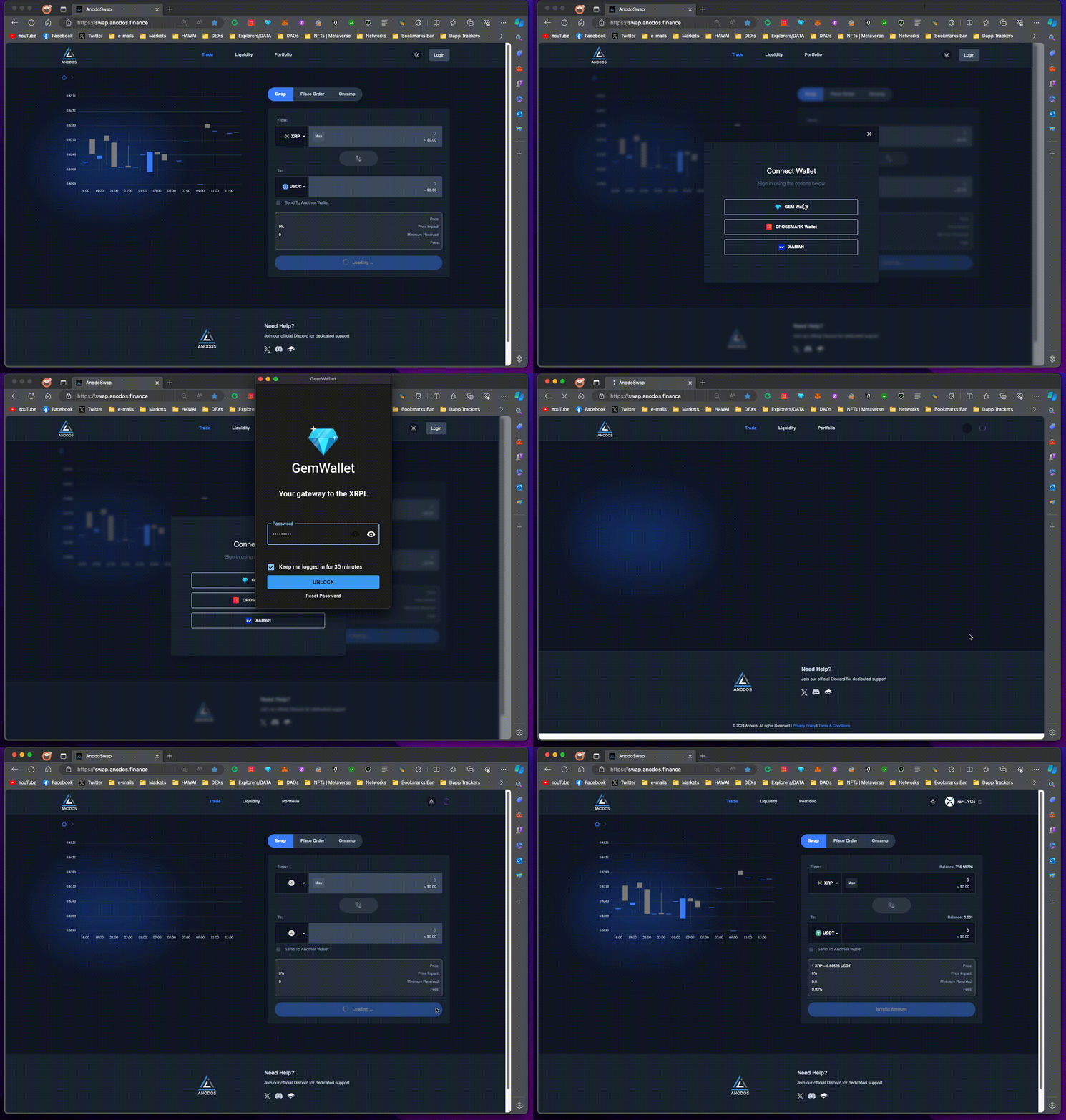
1. Go to [https://swap.anodos.finance/](https://swap.anodos.finance/) , click "**Login**", choose the wallet you have, and approve the transaction that will come out on your wallet. You are now logged in.
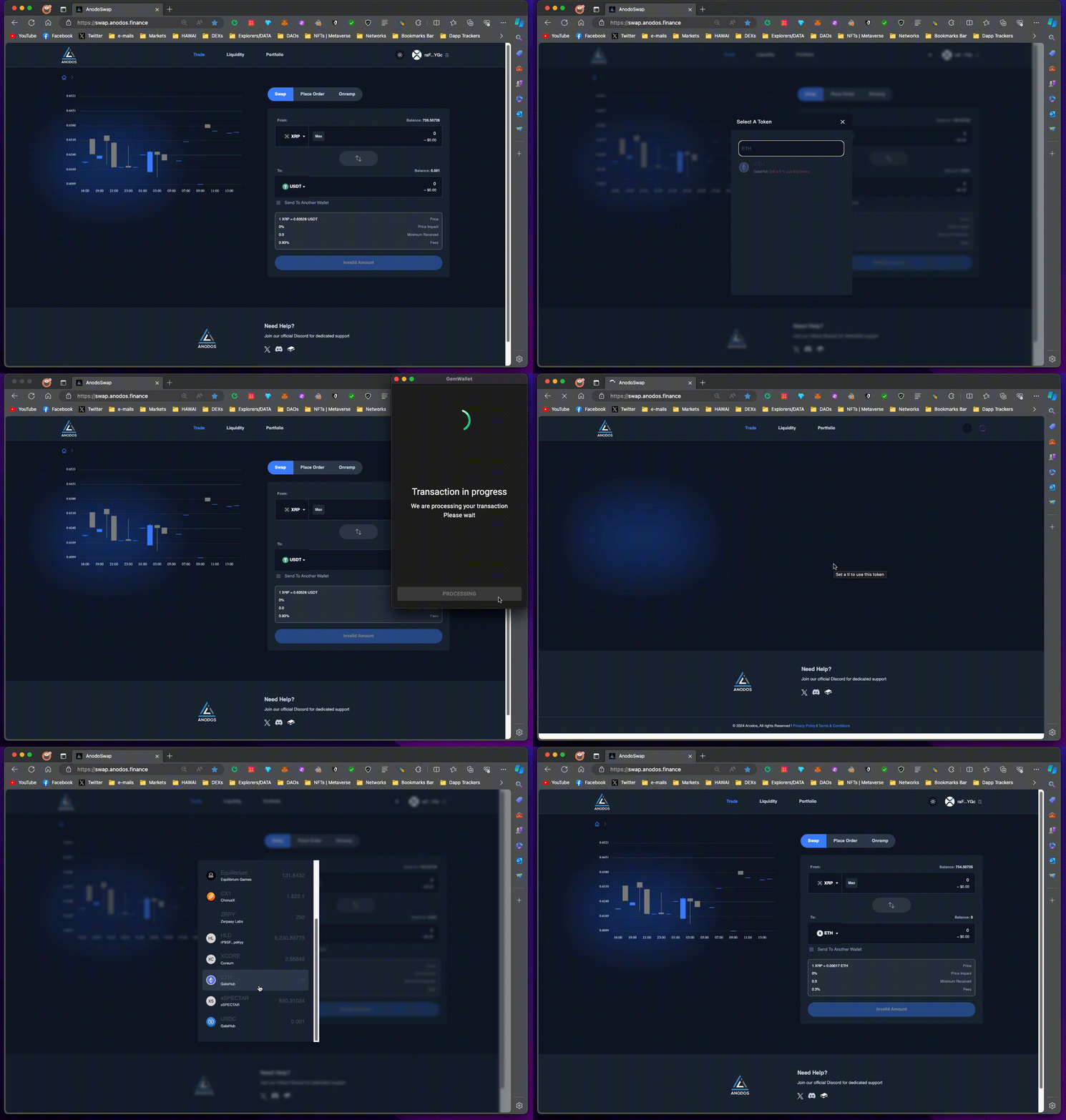
2. You can click on any of the two tokens and search for the token you want by name or by issuer address. If you haven't added the **trustline**, click on it so you can add it in order to be able to swap and hold the token in your XRPL account.
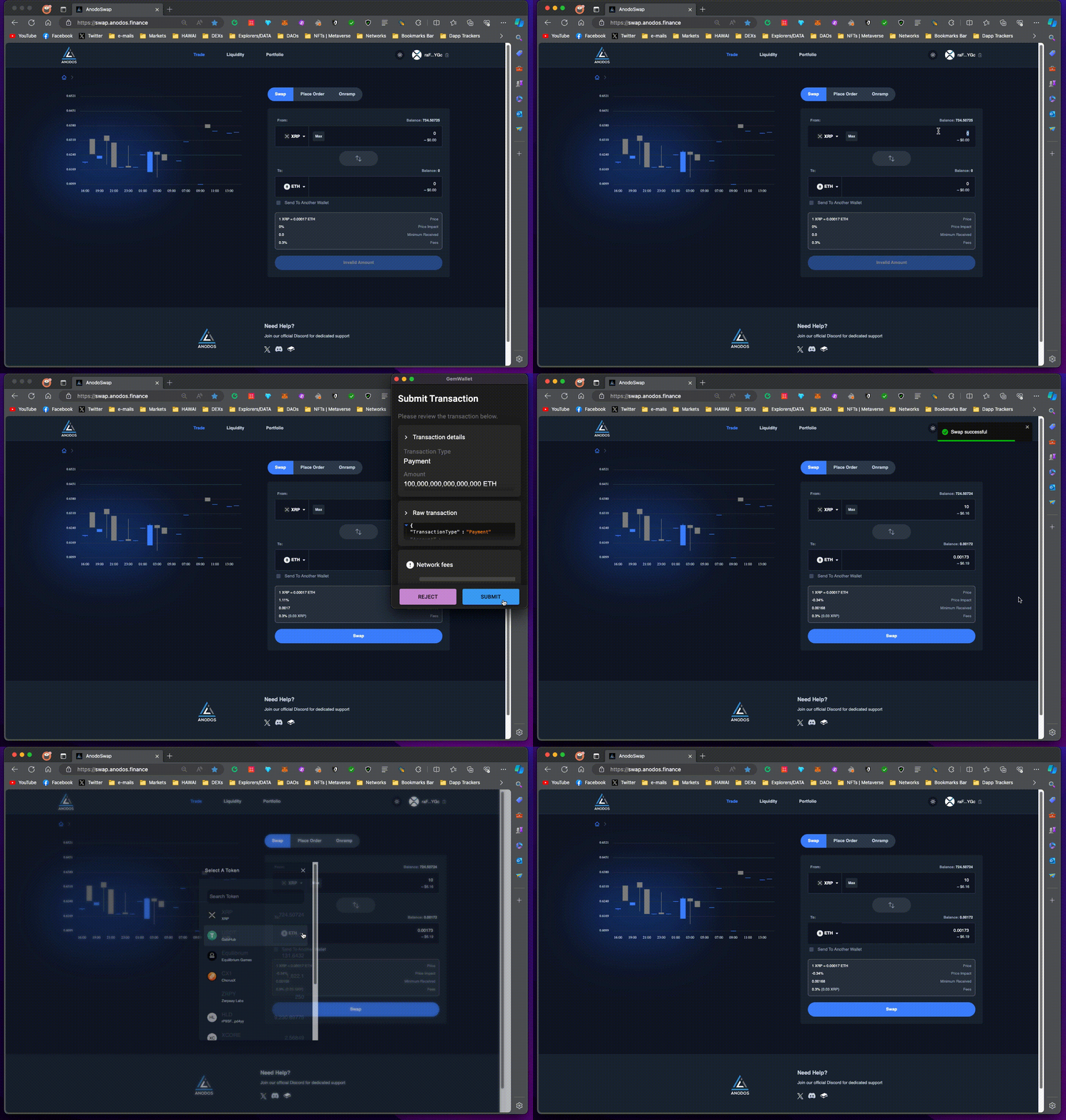
3. In order to **swap and trade assets**, select the tokens you want, type in the amounts, confirm the rate, price impact, minimum received, then click "Swap" and confirm with your wallet. You have now exchanged value.
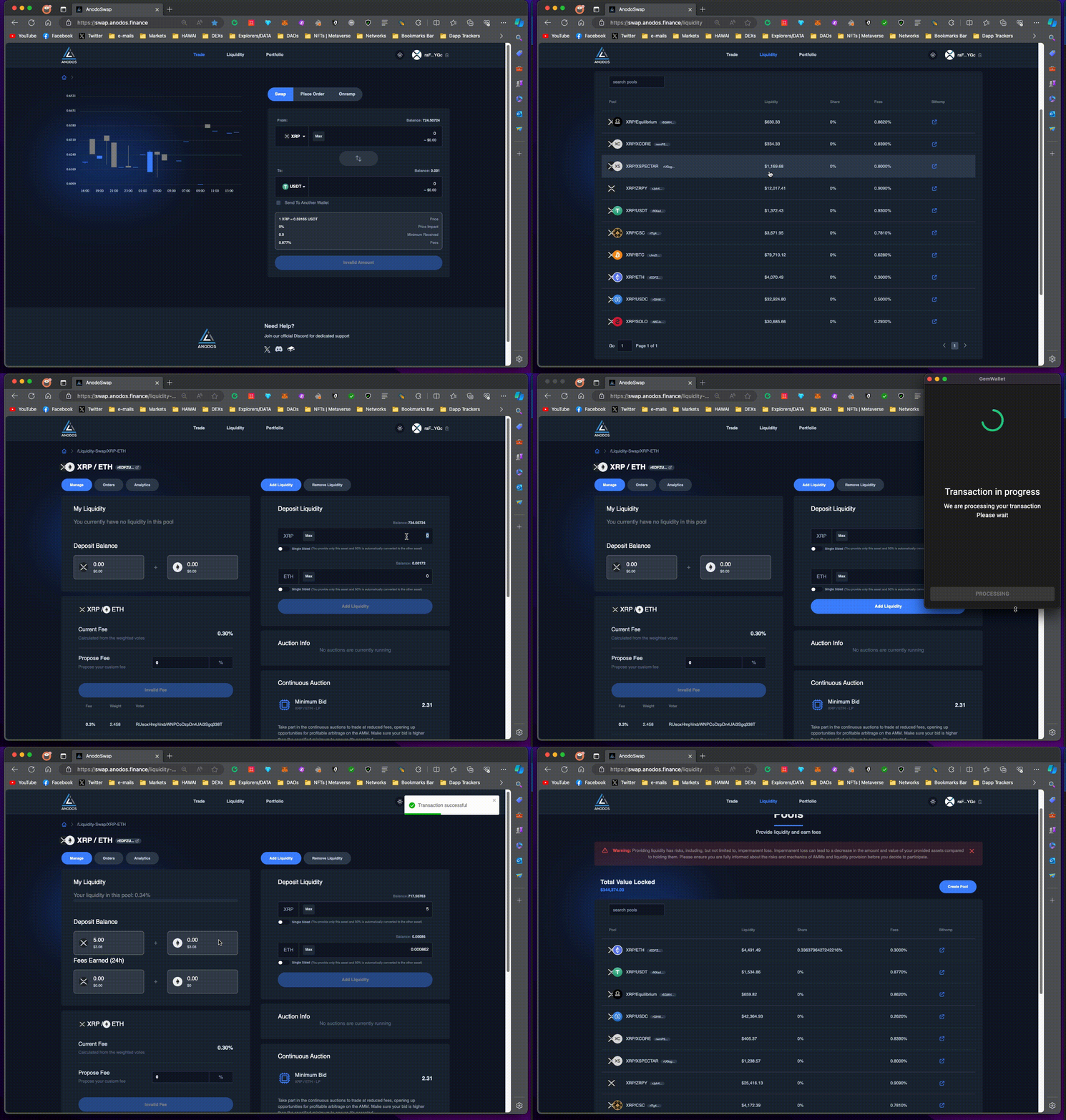
4. In order to **add liquidity**, go to "Liquidity" page, select the pool you want, type the amounts of tokens you want to provide, click "Add Liquidity", and confirm with your wallet. You are now a liquidity provider.
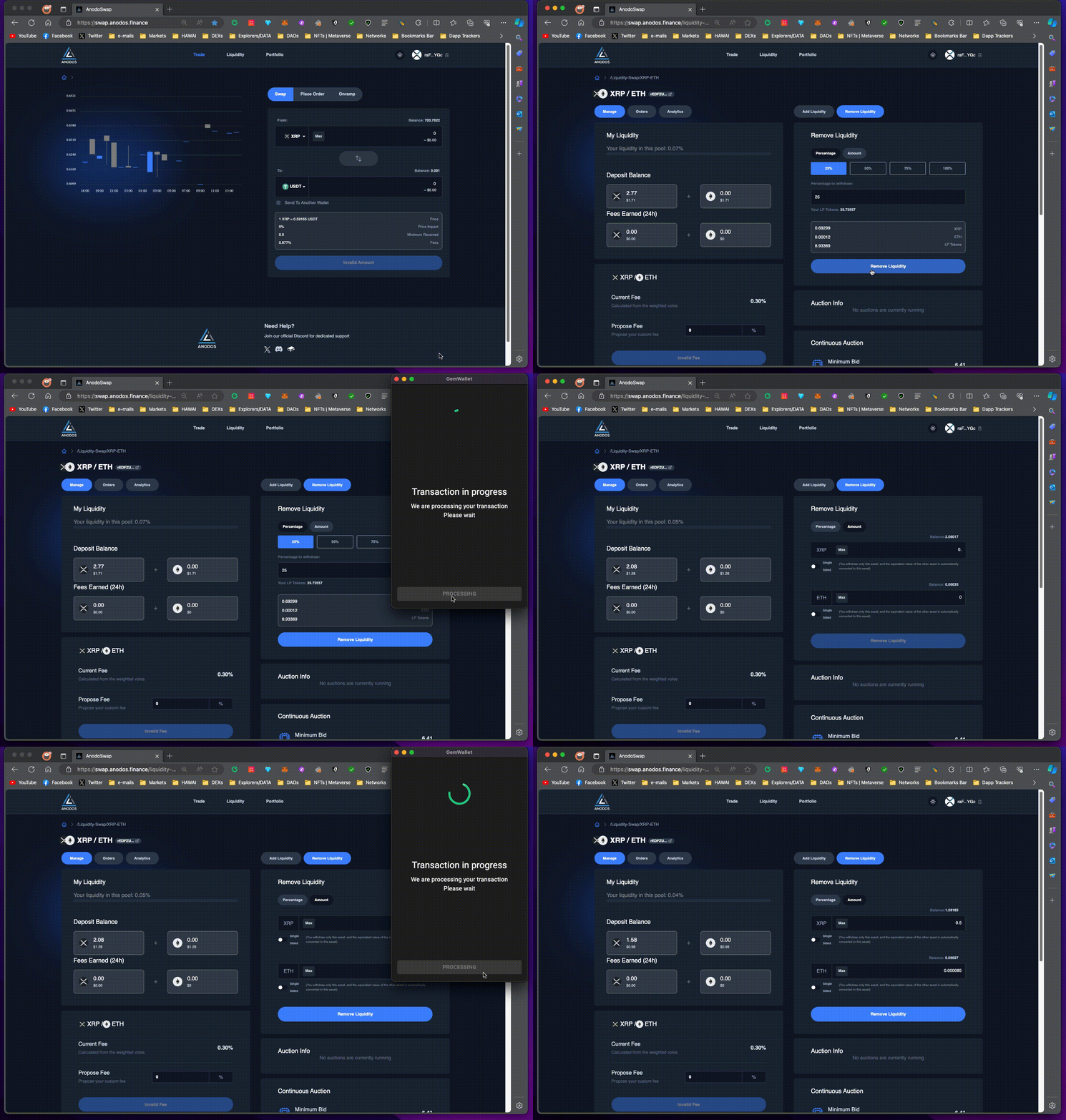
5. If you want to **remove liquidity**, you go to the pool page, click "Remove Liquidity" and then you can select either a percentage or specific amounts to withdraw. After that, you click "Remove Liquidity" down below and confirm with your wallet.
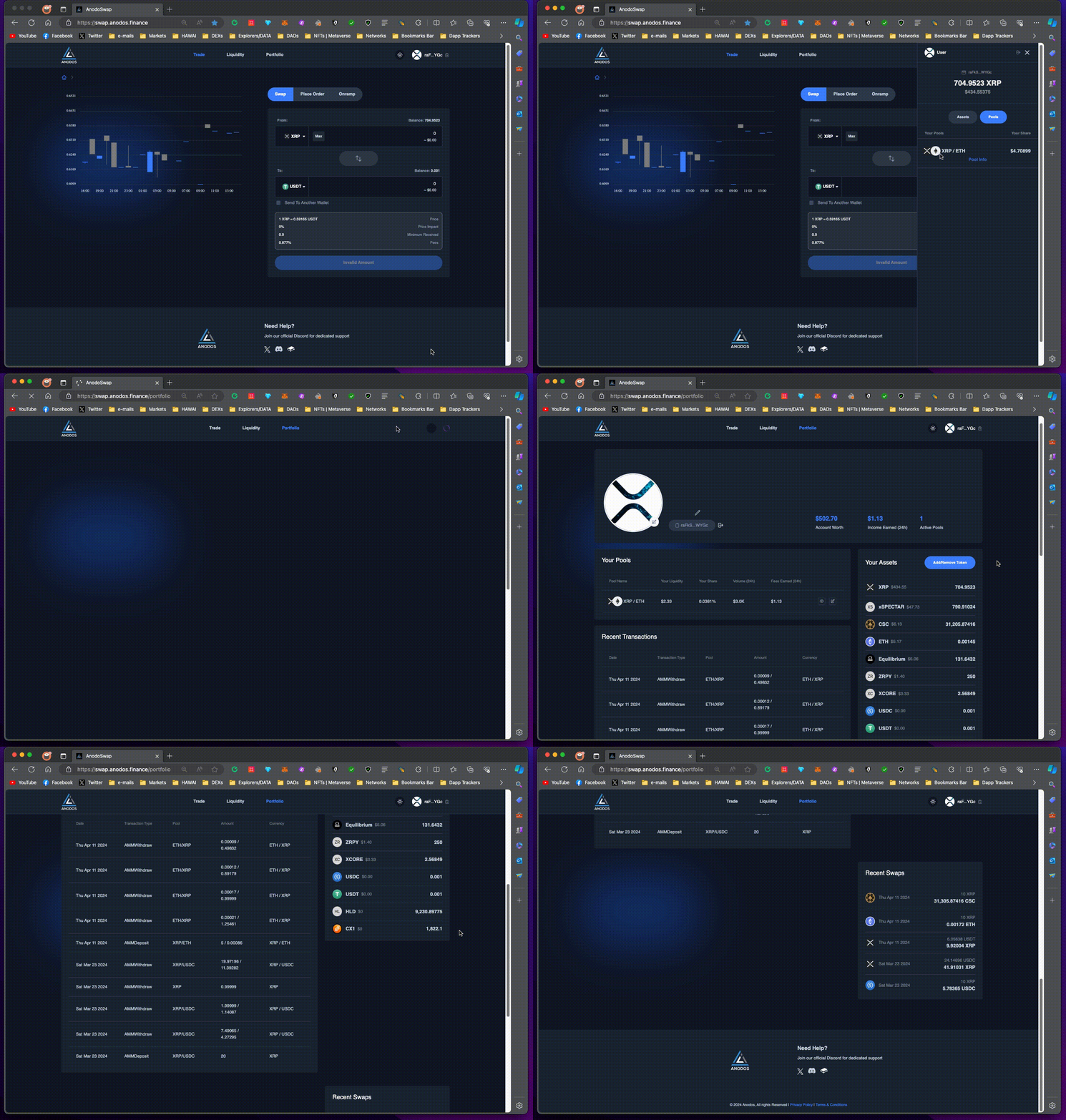
6. On your top right you can click to open the **sidebar menu** and see your balances and pools, and click on your profile image to go to the Portfolio dashboard.\
\
On "**Portfolio**" you can see details about your XRPL account and manage your assets and pools.
If you have any questions and want dedicated support, join our Discord: [https://dsc.gg/anodos](https://dsc.gg/anodos)